Is Your Site Blocking AI Crawlers? Here's How to Check (And Fix It in 10 Minutes)
Your robots.txt might be telling ChatGPT to go away — and you'd never know. Here's how to check in two minutes, what almost every guide gets wrong about GPTBot, and how to fix it in ten.
On this page16 sections
- First, the two-minute check
- Also look for this
- What is robots.txt, in plain English?
- Why is your site blocking them?
- The thing almost everyone gets wrong
- So which ones should you allow?
- Step 2: Check what your CDN is doing
- Step 3: Check whether your site is readable at all
- Step 4: Fix it
- One thing to avoid
- Where to actually edit the file
- Step 5: Check it worked
- What "fixed" actually gets you
- The five-minute version
- Check yours right now
- If this turns out to be a problem
There's a decent chance your website is telling ChatGPT to go away.
Not on purpose. Nobody sat down and decided they didn't want AI recommending their business.
But it happens all the time. And most business owners have no idea.
Here's how to find out in about two minutes — and how to fix it in ten.
First, the two-minute check
Type this into your browser:
yoursite.com/robots.txtThat's it. Your whole site, replace "yoursite" with your actual domain, then /robots.txt on the end.
A plain text file will load. It might be short. It might be long. It might not exist at all.
Now look for these words:
GPTBotOAI-SearchBotClaudeBotPerplexityBotGoogle-Extended
If you see any of them followed by Disallow: / — that bot is blocked.
And if that bot is blocked, that AI system cannot read your site. It doesn't matter how good your content is. It can't see it.
Also look for this
User-agent: *
Disallow: /
That means everything is blocked. Every bot, including all the AI ones.
This one's rarer, but it happens — usually left over from when the site was in development and nobody ever took it out.
What is robots.txt, in plain English?
It's a text file that sits on your website and tells bots what they're allowed to look at.
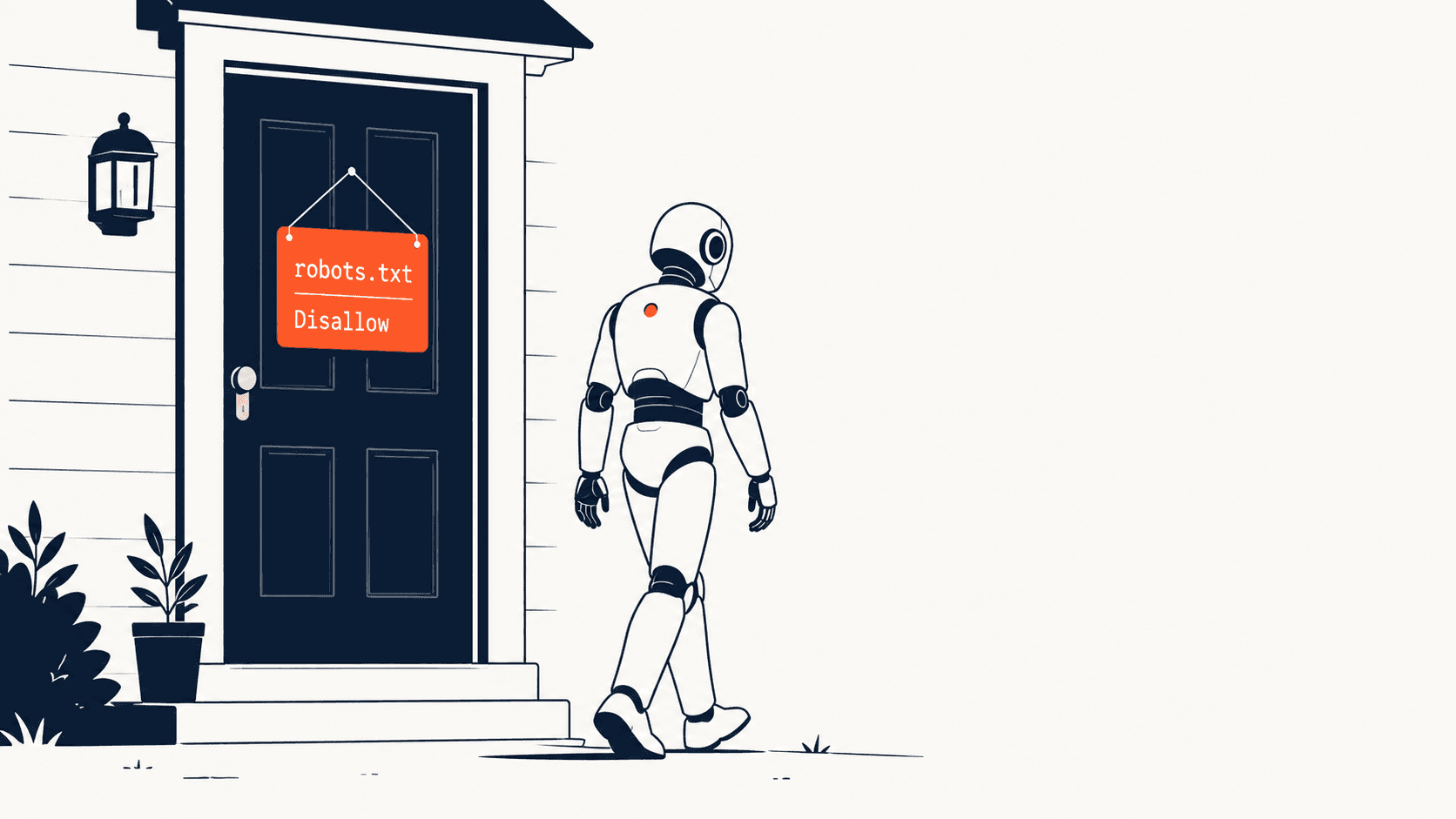
Think of it as a sign on your front door.
Allow: / means "come in, look around."
Disallow: / means "go away."
It's been around since the 90s. It was built for search engines. Nobody was thinking about AI when they made it.
But AI companies decided to respect it anyway. So now this ancient text file quietly decides whether ChatGPT can read your website.
Why is your site blocking them?
You probably didn't do it. Here's how it usually happens.
Your web developer copied a robots.txt from somewhere in 2023.
That was the year everyone panicked about AI scraping content. A lot of "block AI bots" templates got passed around. A lot of developers copied them without thinking much about it.
Then nobody looked at the file again.
Your security plugin added the rules.
If you're on WordPress with Wordfence, Sucuri, or iThemes — these plugins sometimes block bots they don't recognize. Including AI bots.
You never touched robots.txt. The plugin did it for you.
Your CMS shipped with it.
Some platforms add a default robots.txt when you set up a site. Some of those defaults block AI crawlers.
Cloudflare turned it on.
This one catches people out badly, and we'll come back to it — because your robots.txt can be completely fine and you're still blocked.
The thing almost everyone gets wrong
This is the most important part of this article. Read it twice.
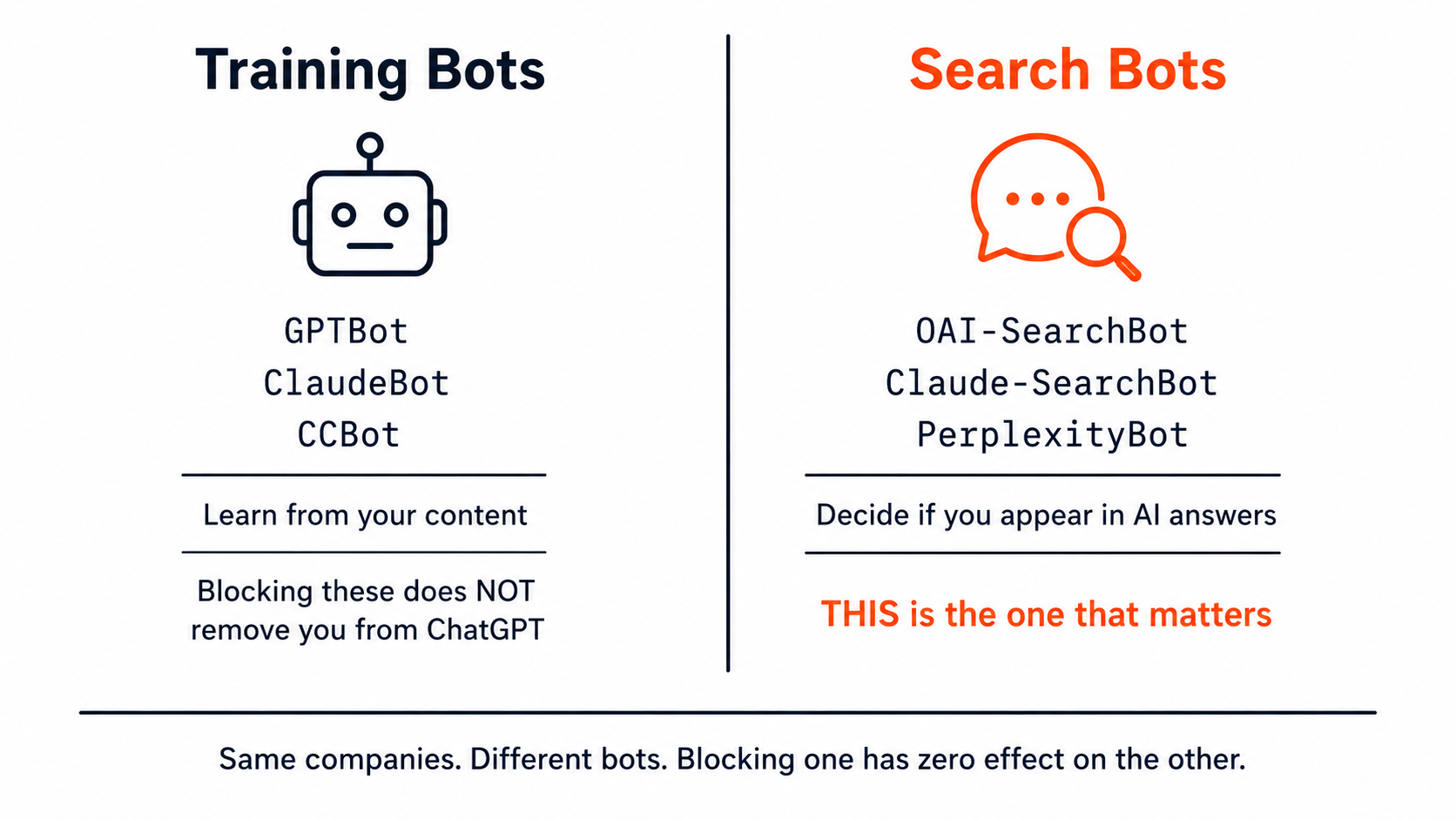
Training bots and search bots are different bots.
They come from the same company. They have different names. They do completely different jobs.
Bot | Company | What it does |
|---|---|---|
GPTBot | OpenAI | Collects content to train the model |
OAI-SearchBot | OpenAI | Powers ChatGPT's live answers |
ClaudeBot | Anthropic | Training |
Claude-SearchBot | Anthropic | Live search |
Google-Extended | Trains Gemini | |
Googlebot | Regular Google Search |
Blocking one has zero effect on the other.
Read that again, because here's what it means:
You can block GPTBot and still appear in ChatGPT. Training and answering are separate systems.
And you can allow GPTBot and still be invisible in ChatGPT — if OAI-SearchBot is blocked.
Most articles about this tell you to allow GPTBot and stop there. That's not wrong, exactly. It's just not the thing that decides whether you show up when someone asks ChatGPT a question.
If you only fix one thing today, make sure OAI-SearchBot is allowed.
So which ones should you allow?
Depends what you want.
If you want AI to recommend your business — and that's most businesses reading this — allow the search bots. These are the ones that decide whether you show up in answers:
OAI-SearchBot(ChatGPT)ChatGPT-User(when someone asks ChatGPT to look at a page)Claude-SearchBotandClaude-User(Claude)PerplexityBot(Perplexity)Google-Extended(Gemini and Google's AI answers)
The training bots are more of a judgment call.
GPTBot, ClaudeBot, CCBot — these take your content to train models. They don't send you traffic in return.
Some publishers block them. That's a legitimate choice, especially if your content is your product.
But for most local businesses — a painting contractor, a dental practice, an accounting firm — there's no real downside to letting them in. You're not selling your words. You're selling your work.
Our recommendation: allow everything, and get found.
Step 2: Check what your CDN is doing
Here's the trap.
Cloudflare has a setting that blocks AI bots — and it overrides your robots.txt.
Your file can say Allow: / in every single line. Cloudflare doesn't care. It blocks them anyway, before the request ever reaches your site.
And here's the worst part: Cloudflare will even write its own robots.txt for you, prepending blocking rules to whatever you had.
You look at your file. It looks fine. You're still invisible.
How to check:
Log into Cloudflare
Go to Security → Bots
Look for anything about AI crawlers or "block AI training bots"
If it's on, turn it off — or configure it to allow the search bots
Not on Cloudflare? Check whatever CDN or firewall you use. Most of the big ones have added some version of this in the last two years.
This is the step most people skip. It's also where a lot of the accidental invisibility comes from.
Step 3: Check whether your site is readable at all
Even with robots.txt perfect and your CDN behaving — most AI crawlers can't run JavaScript.
If your site is built so that content only appears after JavaScript runs, the bot sees an empty page.
It's not blocked. It just can't read anything.
How to check, roughly:
Open your site in Chrome
Right-click → View Page Source (not "Inspect" — View Page Source)
Hit
Ctrl+Fand search for a sentence you can see on the page
If you find it — good, it's in the HTML. Bots can read it.
If you can't find it — it's being added by JavaScript. Most AI crawlers can't see it.
This is a bigger job to fix than robots.txt. But it's worth knowing about, because a perfect robots.txt on an unreadable site gets you nowhere.
Step 4: Fix it
Here's a robots.txt that allows AI systems to read your site, while keeping them out of the parts that should be private.
Copy it. Edit the last line to your actual sitemap.
# AI Search — these decide if you appear in AI answers
User-agent: OAI-SearchBot
Allow: /

User-agent: ChatGPT-User
Allow: /

User-agent: Claude-SearchBot
Allow: /

User-agent: Claude-User
Allow: /

User-agent: PerplexityBot
Allow: /

User-agent: Google-Extended
Allow: /

# AI Training — allow if you want maximum reach
User-agent: GPTBot
Allow: /

User-agent: ClaudeBot
Allow: /

# Regular search
User-agent: Googlebot
Allow: /

User-agent: Bingbot
Allow: /

# Everything else
User-agent: *
Allow: /
Disallow: /admin/
Disallow: /checkout/
Disallow: /account/
Disallow: /cart/

Sitemap: https://yoursite.com/sitemap.xml
What this does: lets AI and search engines read your public pages, keeps them out of admin and checkout.
If you don't want training bots, change those two Allow: / lines to Disallow: /. Everything else stays.
One thing to avoid
You might see old advice telling you to block Claude-Web or anthropic-ai.
Those bots don't exist anymore. They've been retired.
If your robots.txt blocks those and nothing else, you think you're blocking Anthropic — and you're not. The current bot is ClaudeBot.
Old advice ages badly in this field. Check dates on anything you read, including this.
Where to actually edit the file
WordPress Usually managed by your SEO plugin. Yoast: SEO → Tools → File Editor Rank Math: General Settings → Edit robots.txt
Also check your security plugin. Wordfence and Sucuri can block bots independently of robots.txt.
Shopify Online Store → Themes → Edit Code → Templates → robots.txt.liquid
Shopify's default is fairly AI-friendly. Worth checking anyway.
Webflow Site Settings → SEO → robots.txt
Changes only go live when you publish. Easy to miss.
Squarespace / Wix Limited control. Check the SEO settings, and be aware you may not be able to change much.
Custom site The file lives at the root. Ask your developer.
Step 5: Check it worked
Go back to yoursite.com/robots.txt.
Do you see your changes? If not, it didn't save — or your CDN is caching an old version. Clear the cache.
Then check whether AI can actually see you.
Open ChatGPT and ask something a customer would ask:
"Who are the best painting contractors in Tampa?" "Which accountants in Austin work with small businesses?"
Do you get named? Who does?
Fair warning: fixing robots.txt doesn't put you in AI answers overnight. It makes you eligible. AI systems still have to crawl you, understand you, and decide you're worth mentioning.
Being readable is the floor. It's not the ceiling.
For the full picture of what makes AI systems name a business — the research behind it, how the platforms differ, and the six checks that decide it — read What Is Generative Engine Optimization (GEO)? The Complete 2026 Guide.
What "fixed" actually gets you
Let's be honest about this, because a lot of articles won't be.
Fixing robots.txt does not make AI recommend you.
It removes a wall.
If you were blocked, you had zero chance of appearing in AI answers. Now you have a chance. That's a real change — from impossible to possible.
But you still have to give AI a reason to name you. That means:
Content it can actually read (not locked behind JavaScript)
Markup that tells it what your business is
Consistent information everywhere it looks
Some reason to trust you over someone else
Fixing robots.txt is the ten-minute job. It's the cheapest, fastest, highest-leverage thing on the list.
It's just not the whole list.
The rest of the list, for ChatGPT specifically, is here: How to Get Your Business Recommended by ChatGPT.
The five-minute version
If you read nothing else:
Go to
yoursite.com/robots.txtLook for
Disallow: /under any AI bot name — that bot is blockedMake sure
OAI-SearchBotis allowed — this is the one that decides if you appear in ChatGPTCheck Cloudflare — it can block AI bots regardless of your file
Fix it, save it, reload the file to confirm
Ten minutes. Possibly the highest-value ten minutes you'll spend on your website this year.
Check yours right now
Our Website AI Readiness Audit checks whether the main AI crawlers can reach your site, among other things — free with an account.
Run the Website AI Readiness Audit →
If this turns out to be a problem
Blocked AI crawlers are usually the first thing we find when we audit a site — but they're rarely the only thing.
The site's often unreadable to machines in other ways too. The markup's missing or broken. The business is described three different ways across the web.
That's what our AI SEO service does. We find all of it, we fix it, and we tell you honestly what moved and what didn't.
Starts at $500. One time. You keep everything we build.
Founder, Alrebro
Fazal Ur Rehman is the founder of Alrebro and an AI SEO strategist focused on search visibility, technical SEO, and digital growth. He shares practical insights, industry trends, and actionable strategies to help businesses succeed online.
More from Fazal Ur RehmanRelated articles
How to Appear in Google AI Overviews and Gemini: What Actually Works in 2026
How to rank in Google AI Overviews and Gemini in 2026: what Google actually says, which local searches trigger them, and what works for small businesses.
How to Rank in Perplexity AI in 2026: A Practical Guide for Small Businesses
How to rank in Perplexity in 2026: how it picks and cites sources, and a 7-step plan small businesses can use to show up in Perplexity answers.
Why Doesn't ChatGPT Recommend My Business? 9 Reasons (And How to Fix Each One)
Why doesn't ChatGPT recommend my business? 9 common reasons local businesses stay invisible in ChatGPT, with a plain-English fix for each one.
Get new articles in your inbox
No spam — just SEO strategy and updates, occasionally.
This site is protected by reCAPTCHA and the Google Privacy Policy and Terms of Service apply.
Find out what's actually wrong
39 checks, your off-page signals, and a plan you can act on. Free, about a minute, no account needed.